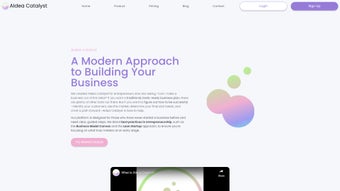

Download AIdea Catalyst – AI‑Powered Startup Planning, Business Model Canvas, Free Trial
Overview – Why AIdea Catalyst Stands Out in the Crowded Startup‑Tool Market
AIdea Catalyst is a cloud‑native, AI‑driven platform that transforms the chaotic early stages of entrepreneurship into a systematic, data‑backed workflow. Built on modern machine‑learning models, the solution guides founders through market validation, business model design, financial forecasting, and investor‑ready reporting—all within a single, collaborative workspace. Unlike generic spreadsheet templates or static business‑plan generators, AIdea Catalyst integrates the Lean Startup methodology with a dynamic Business Model Canvas, allowing users to experiment with customer segments, value propositions, and revenue streams in real time.
The platform’s AI engine continuously learns from each iteration, offering progressively refined recommendations that help founders identify high‑potential ideas faster and allocate resources more efficiently. Its secure, multi‑tenant architecture guarantees that confidential data remains protected while being instantly accessible from any device. Whether you are a solo founder sketching a one‑page concept, a university incubator mentoring multiple teams, or an established startup seeking to pivot, AIdea Catalyst provides a low‑cost, secure, and highly collaborative environment that reduces guesswork, accelerates validation cycles, and ultimately shortens the path from idea to market‑ready product.
By combining AI insights with hands‑on financial modeling, the tool gives a clear view of cash‑flow needs, funding gaps, and growth trajectories, empowering entrepreneurs to make informed decisions backed by data rather than intuition alone.
Key Features That Power Startup Success
- AI‑Guided Market Validation – Automated analysis of demographic, psychographic, and behavioural data surfaces the most promising target segments and predicts market demand with confidence scores.
- Dynamic Business Model Canvas – Drag‑and‑drop canvas blocks let you map value propositions, channels, customer relationships, and cost structures while receiving live AI feedback on feasibility.
- Iterative Financial Modeling – Real‑time cash‑flow, P&L, and runway projections automatically adjust as you modify pricing, unit economics, or operating expenses.
- Competitive Landscape Analyzer – The AI scans public databases, news feeds, and patent repositories to surface key competitors, market‑share trends, and differentiation opportunities.
- Collaboration Hub – Multi‑user workspaces, threaded comments, task assignments, and version history keep co‑founders, mentors, and investors aligned throughout the planning cycle.
- Lean Startup Toolkit – Built‑in experiment templates for hypothesis testing, MVP definition, and pivot tracking streamline the validation loop.
- Secure Cloud Storage – End‑to‑end AES‑256 encryption protects all business data at rest and in transit, while role‑based access controls enforce strict permission policies.
- Customizable Reporting – Exportable PDFs, Excel workbooks, and PowerPoint slide decks let you present polished findings to investors or board members in minutes.
- Continuous Learning Engine – Each iteration feeds the underlying AI model, improving recommendation accuracy and offering personalized growth insights over time.
- Integration Marketplace – Native connectors for HubSpot, Salesforce, QuickBooks, Xero, Asana, and Slack enable seamless data flow across your existing tech stack.
Getting Started: Installation, Compatibility, and Step‑by‑Step Usage Guide
Because AIdea Catalyst is delivered as a Software‑as‑a‑Service (SaaS) product, there is no traditional download or installation process. To begin, simply navigate to aideacatalyst.com, click the prominent “Start Free Trial” button, and register using an email address or single sign‑on (SSO) via Google, Microsoft, or SAML. The onboarding wizard then asks a few concise questions about your industry, target market, and current development stage. Within seconds, the platform generates a personalized Business Model Canvas pre‑populated with AI‑suggested segments, value propositions, and initial financial templates.
Compatibility is universal: AIdea Catalyst runs on any modern web browser—including Chrome, Firefox, Edge, and Safari—on Windows, macOS, Linux, as well as Android and iOS devices. No plugins, extensions, or local software installations are required, making it ideal for distributed teams that switch between laptops, tablets, and smartphones throughout the day.
Three‑Step Workflow for Maximum Impact
- Ideation & Validation – Input your core hypothesis into the Market Validation module. The AI instantly scores each segment, suggests competitor benchmarks, and highlights potential demand gaps.
- Modeling & Planning – Populate the Business Model Canvas, adjust revenue streams, cost drivers, and pricing assumptions. Watch the financial model recalculate in real time, providing immediate insight into runway, break‑even points, and funding requirements.
- Collaboration & Iteration – Invite teammates, assign tasks, and capture feedback directly on canvas elements. Each change creates a new version, allowing you to compare alternative pathways, revert to earlier drafts, or run A/B scenario analysis.
For organizations that need deeper integration, AIdea Catalyst offers RESTful API endpoints that sync data with popular CRMs (HubSpot, Salesforce) and accounting platforms (QuickBooks, Xero). Enterprise‑level plans also support SSO via SAML or OAuth, ensuring single‑sign‑on convenience while maintaining strict security compliance (SOC 2, ISO 27001). The platform’s intuitive dashboard includes a “Help Center” with video tutorials, a searchable knowledge base, and a community forum where users share best practices, templates, and success stories.
Pros, Cons, and Frequently Asked Questions
Pros
- AI‑driven market insights dramatically cut the time spent on manual research.
- Fully cloud‑based architecture eliminates installation hassles and guarantees cross‑device accessibility.
- Lean Startup and Business Model Canvas frameworks are embedded, removing the need for multiple disparate tools.
- Real‑time collaboration keeps co‑founders, mentors, and investors aligned throughout the planning cycle.
- Robust encryption and role‑based access controls protect sensitive business data.
- Scalable pricing model includes a free tier for early validation and paid plans for advanced financial modeling and API access.
- Continuous learning engine improves recommendation relevance as you iterate.
- Extensive integration marketplace connects seamlessly with existing SaaS ecosystems.
Cons
- Dependence on an internet connection means offline work is limited.
- Advanced financial modeling features may present a learning curve for founders without a finance background.
- API access and some premium integrations are restricted to higher‑tier subscription plans.
- Highly niche industries might require custom data inputs beyond the default AI datasets.
- While the free tier is generous, certain reporting formats and export options are locked behind paid plans.
FAQ
Is AIdea Catalyst really free to use?
Yes. The free tier provides core market‑validation tools, a basic Business Model Canvas, and limited financial modeling. Premium features such as advanced reporting, multi‑project workspaces, and API access require a paid subscription.
Can I import existing business plans into AIdea Catalyst?
Absolutely. The platform supports CSV and Excel imports for financial data, and you can copy‑paste narrative text directly into canvas blocks. AI automatically maps the imported information to the appropriate sections of the canvas.
How secure is my data?
All data is encrypted at rest and in transit using AES‑256 and TLS 1.3. Enterprise plans offer dedicated encryption keys, SOC 2 compliance, and ISO 27001 certification for added peace of mind.
Does AIdea Catalyst integrate with my existing tools?
Yes. Native integrations include HubSpot, Salesforce, QuickBooks, Xero, Asana, and Slack. For custom workflows, RESTful APIs are available on Business and Enterprise subscription levels.
What kind of support is offered?
All users receive email support. Paid subscribers benefit from live chat, priority phone assistance, and a dedicated account manager for Enterprise plans. An extensive knowledge base, video tutorials, and community forum are freely accessible.
Can I use AIdea Catalyst on mobile devices?
Yes. The responsive web interface works on iOS and Android browsers, allowing you to review canvases, comment on ideas, and view financial dashboards while on the go.
Final Verdict and Call to Action
AIdea Catalyst bridges the gap between entrepreneurial enthusiasm and disciplined, data‑driven planning. By embedding AI directly into the Lean Startup workflow, it eliminates the repetitive grunt work of market research, financial forecasting, and canvas creation, while providing real‑time collaboration that keeps co‑founders, mentors, and investors on the same page. Its secure cloud architecture, scalable pricing, and extensive integration ecosystem make it a compelling choice for anyone looking to validate a concept quickly, iterate responsibly, and present a polished, investor‑ready plan. If you’re ready to accelerate your startup journey with AI‑powered insights, start your free trial today and experience the future of business‑model planning.
Start your free trial now and turn your idea into a venture‑ready blueprint.



.png)



